SAM2
This model was released on 2024-07-29 and added to Hugging Face Transformers on 2025-08-14.


Overview
Section titled “Overview”SAM2 (Segment Anything Model 2) was proposed in Segment Anything in Images and Videos by Nikhila Ravi, Valentin Gabeur, Yuan-Ting Hu, Ronghang Hu, Chaitanya Ryali, Tengyu Ma, Haitham Khedr, Roman Rädle, Chloe Rolland, Laura Gustafson, Eric Mintun, Junting Pan, Kalyan Vasudev Alwala, Nicolas Carion, Chao-Yuan Wu, Ross Girshick, Piotr Dollár, Christoph Feichtenhofer.
The model can be used to predict segmentation masks of any object of interest given an input image or video, and input points or bounding boxes.
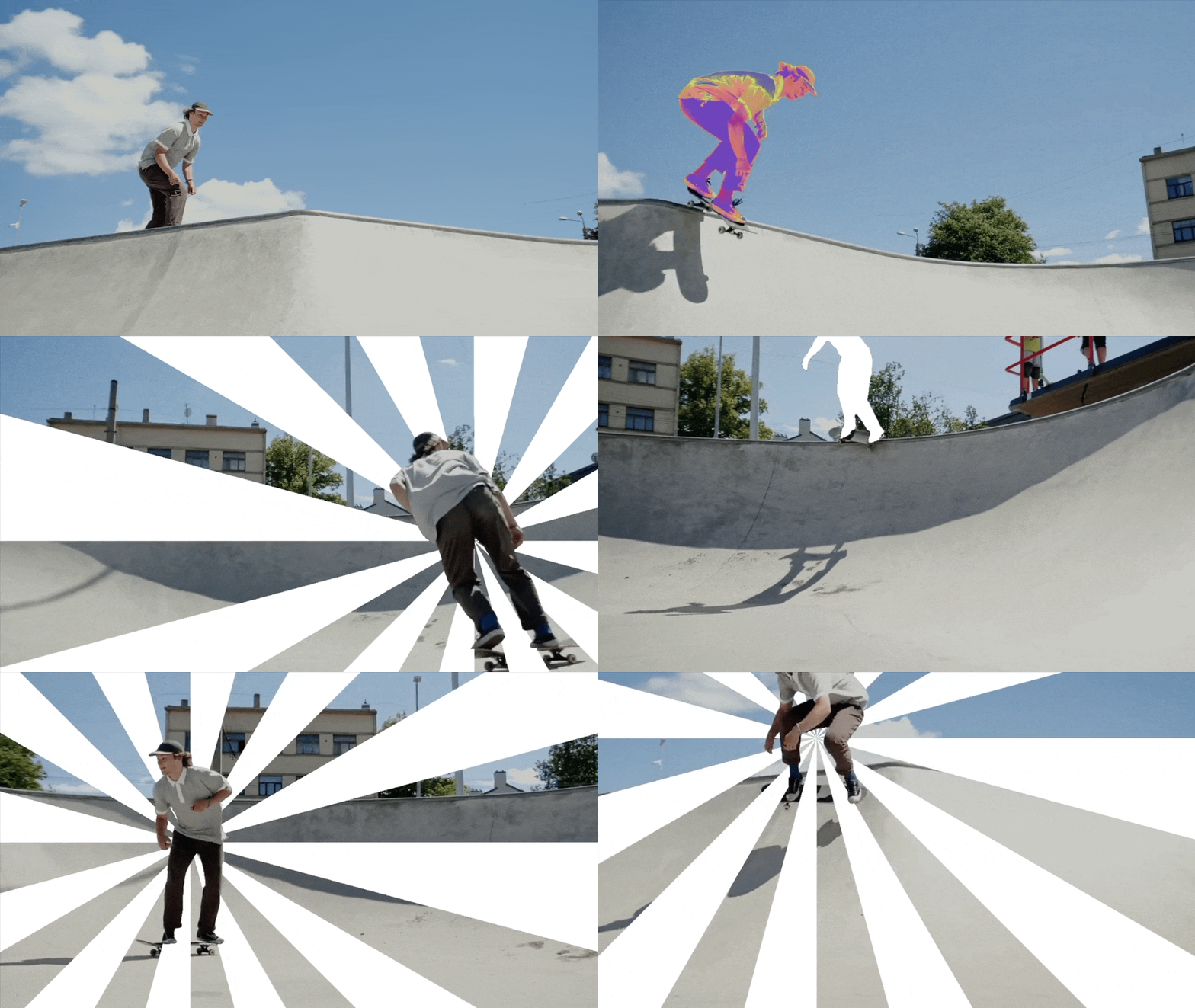
The abstract from the paper is the following:
We present Segment Anything Model 2 (SAM 2), a foundation model towards solving promptable visual segmentation in images and videos. We build a data engine, which improves model and data via user interaction, to collect the largest video segmentation dataset to date. Our model is a simple transformer architecture with streaming memory for real-time video processing. SAM 2 trained on our data provides strong performance across a wide range of tasks. In video segmentation, we observe better accuracy, using 3x fewer interactions than prior approaches. In image segmentation, our model is more accurate and 6x faster than the Segment Anything Model (SAM). We believe that our data, model, and insights will serve as a significant milestone for video segmentation and related perception tasks. We are releasing a version of our model, the dataset and an interactive demo.
Tips:
- Batch & Video Support: SAM2 natively supports batch processing and seamless video segmentation, while original SAM is designed for static images and simpler one-image-at-a-time workflows.
- Accuracy & Generalization: SAM2 shows improved segmentation quality, robustness, and zero-shot generalization to new domains compared to the original SAM, especially with mixed prompts.
This model was contributed by sangbumchoi and yonigozlan. The original code can be found here.
Usage example
Section titled “Usage example”Automatic Mask Generation with Pipeline
Section titled “Automatic Mask Generation with Pipeline”SAM2 can be used for automatic mask generation to segment all objects in an image using the mask-generation pipeline:
>>> from transformers import pipeline
>>> generator = pipeline("mask-generation", model="facebook/sam2.1-hiera-large", device=0)>>> image_url = "https://huggingface.co/datasets/hf-internal-testing/sam2-fixtures/resolve/main/truck.jpg">>> outputs = generator(image_url, points_per_batch=64)
>>> len(outputs["masks"])  # Number of masks generated39
Basic Image Segmentation
Section titled “Basic Image Segmentation”Single Point Click
Section titled “Single Point Click”You can segment objects by providing a single point click on the object you want to segment:
>>> from transformers import Sam2Processor, Sam2Modelfrom accelerate import Accelerator>>> import torch>>> from PIL import Image>>> import requests
>>> device = Accelerator().device
>>> model = Sam2Model.from_pretrained("facebook/sam2.1-hiera-large").to(device)>>> processor = Sam2Processor.from_pretrained("facebook/sam2.1-hiera-large")
>>> image_url = "https://huggingface.co/datasets/hf-internal-testing/sam2-fixtures/resolve/main/truck.jpg">>> raw_image = Image.open(requests.get(image_url, stream=True).raw).convert("RGB")
>>> input_points = [[[[500, 375]]]]  # Single point click, 4 dimensions (image_dim, object_dim, point_per_object_dim, coordinates)>>> input_labels = [[[1]]]  # 1 for positive click, 0 for negative click, 3 dimensions (image_dim, object_dim, point_label)
>>> inputs = processor(images=raw_image, input_points=input_points, input_labels=input_labels, return_tensors="pt").to(model.device)
>>> with torch.no_grad():...     outputs = model(**inputs)
>>> masks = processor.post_process_masks(outputs.pred_masks.cpu(), inputs["original_sizes"])[0]
>>> # The model outputs multiple mask predictions ranked by quality score>>> print(f"Generated {masks.shape[1]} masks with shape {masks.shape}")Generated 3 masks with shape torch.Size(1, 3, 1500, 2250)
Multiple Points for Refinement
Section titled “Multiple Points for Refinement”You can provide multiple points to refine the segmentation:
>>> # Add both positive and negative points to refine the mask>>> input_points = [[[[500, 375], [1125, 625]]]]  # Multiple points for refinement>>> input_labels = [[[1, 1]]]  # Both positive clicks
>>> inputs = processor(images=raw_image, input_points=input_points, input_labels=input_labels, return_tensors="pt").to(device)
>>> with torch.no_grad():...     outputs = model(**inputs)
>>> masks = processor.post_process_masks(outputs.pred_masks.cpu(), inputs["original_sizes"])[0]
Bounding Box Input
Section titled “Bounding Box Input”SAM2 also supports bounding box inputs for segmentation:
>>> # Define bounding box as [x_min, y_min, x_max, y_max]>>> input_boxes = [[[75, 275, 1725, 850]]]
>>> inputs = processor(images=raw_image, input_boxes=input_boxes, return_tensors="pt").to(device)
>>> with torch.no_grad():...     outputs = model(**inputs)
>>> masks = processor.post_process_masks(outputs.pred_masks.cpu(), inputs["original_sizes"])[0]
Multiple Objects Segmentation
Section titled “Multiple Objects Segmentation”You can segment multiple objects simultaneously:
>>> # Define points for two different objects>>> input_points = [[[[500, 375]], [[650, 750]]]]  # Points for two objects in same image>>> input_labels = [[[1], [1]]]  # Positive clicks for both objects
>>> inputs = processor(images=raw_image, input_points=input_points, input_labels=input_labels, return_tensors="pt").to(device)
>>> with torch.no_grad():...     outputs = model(**inputs, multimask_output=False)
>>> # Each object gets its own mask>>> masks = processor.post_process_masks(outputs.pred_masks.cpu(), inputs["original_sizes"])[0]>>> print(f"Generated masks for {masks.shape[0]} objects")Generated masks for 2 objects
Batch Inference
Section titled “Batch Inference”Batched Images
Section titled “Batched Images”Process multiple images simultaneously for improved efficiency:
>>> from transformers import Sam2Processor, Sam2Modelfrom accelerate import Accelerator>>> import torch>>> from PIL import Image>>> import requests
>>> device = Accelerator().device
>>> model = Sam2Model.from_pretrained("facebook/sam2.1-hiera-large").to(device)>>> processor = Sam2Processor.from_pretrained("facebook/sam2.1-hiera-large")
>>> # Load multiple images>>> image_urls = [...     "https://huggingface.co/datasets/hf-internal-testing/sam2-fixtures/resolve/main/truck.jpg",...     "https://huggingface.co/datasets/huggingface/documentation-images/resolve/main/transformers/model_doc/dog-sam.png"... ]>>> raw_images = [Image.open(requests.get(url, stream=True).raw).convert("RGB") for url in image_urls]
>>> # Single point per image>>> input_points = [[[[500, 375]]], [[[770, 200]]]]  # One point for each image>>> input_labels = [[[1]], [[1]]]  # Positive clicks for both images
>>> inputs = processor(images=raw_images, input_points=input_points, input_labels=input_labels, return_tensors="pt").to(model.device)
>>> with torch.no_grad():...     outputs = model(**inputs, multimask_output=False)
>>> # Post-process masks for each image>>> all_masks = processor.post_process_masks(outputs.pred_masks.cpu(), inputs["original_sizes"])>>> print(f"Processed {len(all_masks)} images, each with {all_masks[0].shape[0]} objects")Processed 2 images, each with 1 objects
Batched Objects per Image
Section titled “Batched Objects per Image”Segment multiple objects within each image using batch inference:
>>> # Multiple objects per image - different numbers of objects per image>>> input_points = [...     [[[500, 375]], [[650, 750]]],  # Truck image: 2 objects...     [[[770, 200]]]  # Dog image: 1 object... ]>>> input_labels = [...     [[1], [1]],  # Truck image: positive clicks for both objects...     [[1]]  # Dog image: positive click for the object... ]
>>> inputs = processor(images=raw_images, input_points=input_points, input_labels=input_labels, return_tensors="pt").to(device)
>>> with torch.no_grad():...     outputs = model(**inputs, multimask_output=False)
>>> all_masks = processor.post_process_masks(outputs.pred_masks.cpu(), inputs["original_sizes"])
Batched Images with Batched Objects and Multiple Points
Section titled “Batched Images with Batched Objects and Multiple Points”Handle complex batch scenarios with multiple points per object:
>>> # Add groceries image for more complex example>>> groceries_url = "https://huggingface.co/datasets/hf-internal-testing/sam2-fixtures/resolve/main/groceries.jpg">>> groceries_image = Image.open(requests.get(groceries_url, stream=True).raw).convert("RGB")>>> raw_images = [raw_images[0], groceries_image]  # Use truck and groceries images
>>> # Complex batching: multiple images, multiple objects, multiple points per object>>> input_points = [...     [[[500, 375]], [[650, 750]]],  # Truck image: 2 objects with 1 point each...     [[[400, 300]], [[630, 300], [550, 300]]]  # Groceries image: obj1 has 1 point, obj2 has 2 points... ]>>> input_labels = [...     [[1], [1]],  # Truck image: positive clicks...     [[1], [1, 1]]  # Groceries image: positive clicks for refinement... ]
>>> inputs = processor(images=raw_images, input_points=input_points, input_labels=input_labels, return_tensors="pt").to(device)
>>> with torch.no_grad():...     outputs = model(**inputs, multimask_output=False)
>>> all_masks = processor.post_process_masks(outputs.pred_masks.cpu(), inputs["original_sizes"])
Batched Bounding Boxes
Section titled “Batched Bounding Boxes”Process multiple images with bounding box inputs:
>>> # Multiple bounding boxes per image (using truck and groceries images)>>> input_boxes = [...     [[75, 275, 1725, 850], [425, 600, 700, 875], [1375, 550, 1650, 800], [1240, 675, 1400, 750]],  # Truck image: 4 boxes...     [[450, 170, 520, 350], [350, 190, 450, 350], [500, 170, 580, 350], [580, 170, 640, 350]]  # Groceries image: 4 boxes... ]
>>> # Update images for this example>>> raw_images = [raw_images[0], groceries_image]  # truck and groceries
>>> inputs = processor(images=raw_images, input_boxes=input_boxes, return_tensors="pt").to(device)
>>> with torch.no_grad():...     outputs = model(**inputs, multimask_output=False)
>>> all_masks = processor.post_process_masks(outputs.pred_masks.cpu(), inputs["original_sizes"])>>> print(f"Processed {len(input_boxes)} images with {len(input_boxes[0])} and {len(input_boxes[1])} boxes respectively")Processed 2 images with 4 and 4 boxes respectively
Using Previous Masks as Input
Section titled “Using Previous Masks as Input”SAM2 can use masks from previous predictions as input to refine segmentation:
>>> # Get initial segmentation>>> input_points = [[[[500, 375]]]]>>> input_labels = [[[1]]]>>> inputs = processor(images=raw_image, input_points=input_points, input_labels=input_labels, return_tensors="pt").to(device)
>>> with torch.no_grad():...     outputs = model(**inputs)
>>> # Use the best mask as input for refinement>>> mask_input = outputs.pred_masks[:, :, torch.argmax(outputs.iou_scores.squeeze())]
>>> # Add additional points with the mask input>>> new_input_points = [[[[500, 375], [450, 300]]]]>>> new_input_labels = [[[1, 1]]]>>> inputs = processor(...     input_points=new_input_points,...     input_labels=new_input_labels,...     original_sizes=inputs["original_sizes"],...     return_tensors="pt",... ).to(device)
>>> with torch.no_grad():...     refined_outputs = model(...         **inputs,...         input_masks=mask_input,...         image_embeddings=outputs.image_embeddings,...         multimask_output=False,...     )
Sam2Config
Section titled “Sam2Config”[[autodoc]] Sam2Config
Sam2HieraDetConfig
Section titled “Sam2HieraDetConfig”[[autodoc]] Sam2HieraDetConfig
Sam2VisionConfig
Section titled “Sam2VisionConfig”[[autodoc]] Sam2VisionConfig
Sam2MaskDecoderConfig
Section titled “Sam2MaskDecoderConfig”[[autodoc]] Sam2MaskDecoderConfig
Sam2PromptEncoderConfig
Section titled “Sam2PromptEncoderConfig”[[autodoc]] Sam2PromptEncoderConfig
Sam2Processor
Section titled “Sam2Processor”[[autodoc]] Sam2Processor - call - post_process_masks
Sam2ImageProcessorFast
Section titled “Sam2ImageProcessorFast”[[autodoc]] Sam2ImageProcessorFast
Sam2HieraDetModel
Section titled “Sam2HieraDetModel”[[autodoc]] Sam2HieraDetModel - forward
Sam2VisionModel
Section titled “Sam2VisionModel”[[autodoc]] Sam2VisionModel - forward
Sam2Model
Section titled “Sam2Model”[[autodoc]] Sam2Model - forward